
AI consumability
We have various approaches for making our content visible to AI as well as making sure it's easily consumed in a plain-text format.
The primary proposal in this space is llms.txt ↗, offering a well-known path for a Markdown list of all your pages.
We have implemented llms.txt and llms-full.txt as follows:
llms.txt— A directory of all Cloudflare documentation products, grouped by category. Each entry links to that product's ownllms.txt— for example,/workers/llms.txt— which lists every page for that product in Markdown format.llms-full.txt— The full contents of all Cloudflare documentation in a single file, intended for offline indexing, bulk vectorization, or large-context models. We also provide allms-full.txtfile on a per-product basis — for example,/workers/llms-full.txt.
To obtain a Markdown version of a single documentation page, you can:
-
Send a request to any page with an
Accept: text/markdownheader — Uses Markdown for Agents to convert the page to Markdown at the network layer. For example:Terminal window curl "https://developers.cloudflare.com/style-guide/ai-tooling/" \--header "Accept: text/markdown" -
Send a request to
/$page/index.md— Add/index.mdto the end of any page to get the Markdown version. For example,/style-guide/ai-tooling/index.md.
Both methods return the same Markdown output, powered by Markdown for Agents.
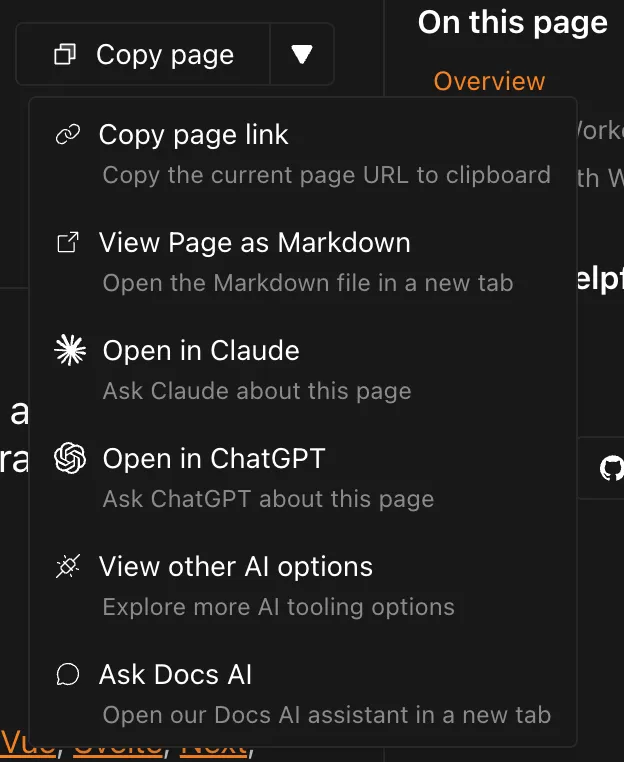
In the top right of this page, you will see a Page options button where you can copy the current page as Markdown that can be given to your LLM of choice.
HTML is easily parsed - after all, the browser has to parse it to decide how to render the page you're reading now - it tends to not be very portable. This limitation is especially painful in an AI context, because all the extra presentation information consumes additional tokens.
For example, given our Tabs, the panels are hidden until the tab itself is clicked:
If we run the resulting HTML from this component through a solution like turndown ↗:
- [One](#tab-panel-6)- [Two](#tab-panel-7)
One Content
Two Content
The references to the panels id, usually handled by JavaScript, are visible but non-functional.
To solve this, we use Markdown for Agents, which converts HTML to Markdown at the Cloudflare network layer. It handles:
- Removing non-content tags (
script,style,link, etc.) - Transforming custom elements like
starlight-tabsinto standard unordered lists - Adapting code block HTML into clean Markdown fenced code blocks
Taking the Tabs example from the previous section, Markdown for Agents will give us a normal unordered list with the content properly associated with a given list item:
- One
  One Content
- Two
  Two Content
You can request any page as Markdown in two ways:
-
Send a request with an
Accept: text/markdownheader:Terminal window curl "https://developers.cloudflare.com/style-guide/ai-tooling/" \--header "Accept: text/markdown" -
Append
index.mdto the URL — for example,/style-guide/ai-tooling/index.md
Most AI pricing is around input & output tokens and Markdown greatly reduces the amount of input tokens required.
For example, let's take a look at the amount of tokens required for the Workers Get Started using OpenAI's tokenizer ↗:
- HTML: 15,229 tokens
- Markdown: 2,110 tokens (7.22x less than HTML)
When providing our content to AI, we can see a real-world ~7x saving in input tokens cost.
Other than the work making our content discoverable, most of the other work of making content for AI aligns with SEO or content best practices, such as:
- Using semantic HTML
- Adding headings
- Reducing inconsistencies in naming or outdated information
For more details, refer to Google's AI guidance ↗.
The only special work we have done is adding a noindex directives ↗ to specific types of content (via a frontmatter tag).
<meta name="robots" content="noindex">For example, we have certain pages that discuss deprecated features, such as Wrangler 1. While technically accurate, they are no longer advisable to follow and could potentially confuse AI outputs.
At the moment, it's unclear whether all AI crawlers will respect these directives, but it's the only signal we have to exclude something from their indexing (and we do not want to set up WAF rules for individual pages).