
Diagrams
Visualizations that depict a process, architecture, or some other form of technology. We recommend either using SVG files or Mermaid diagrams.
All content types
Diagrams explain complex topics in a compelling way and help users visualize a specific solution, process, or interaction between products.
Use SVG files instead of PNG or JPEG because SVG scales well when users want to zoom in. Use clear and straightforward Alt text with your SVG for use by screen readers.
We optimize SVG files with a recurring script ↗ in our repo.
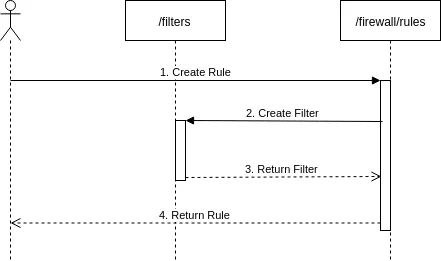
Use Mermaid diagrams to illustrate product or process flows. If they work for your use case, Mermaid diagrams are preferable to other diagrams because they are more easily searchable and changeable.
Our Mermaid diagrams are based on rehype-mermaid ↗ and mermaid ↗.
flowchart LR
accTitle: Tunnels diagram
accDescr: The example in this diagram has three tunnel routes. Tunnels 1 and 2 have top priority and Tunnel 3 is secondary.

subgraph Cloudflare
direction LR
B[Cloudflare <br/> data center]
C[Cloudflare <br/> data center]
D[Cloudflare <br/> data center]
end

A((User)) --> Cloudflare --- E[Anycast IP]
E[Anycast IP] --> F[/Tunnel 1 / <br/> priority 1/] --> I{{Customer <br/> data center/ <br/> network 1}}
E[Anycast IP] --> G[/Tunnel 2 / <br/> priority 1/] --> J{{Customer <br/> data center/ <br/> network 2}}
E[Anycast IP] --> H[/Tunnel 3 / <br/> priority 2/] --> K{{Customer <br/> data center/ <br/> network 3}}
```mermaidflowchart LRaccTitle: Tunnels diagramaccDescr: The example in this diagram has three tunnel routes. Tunnels 1 and 2 have top priority and Tunnel 3 is secondary.
subgraph Cloudflaredirection LRB[Cloudflare <br/> data center]C[Cloudflare <br/> data center]D[Cloudflare <br/> data center]end
A((User)) --> Cloudflare --- E[Anycast IP]E[Anycast IP] --> F[/Tunnel 1 / <br/> priority 1/] --> I{{Customer <br/> data center/ <br/> network 1}}E[Anycast IP] --> G[/Tunnel 2 / <br/> priority 1/] --> J{{Customer <br/> data center/ <br/> network 2}}E[Anycast IP] --> H[/Tunnel 3 / <br/> priority 2/] --> K{{Customer <br/> data center/ <br/> network 3}}```